View the Schedule Incentive Summary Report
-
Navigate to .
-
Enter values in the organization unit fields or select the values from the Field Look Up Values in the right area.
-
Click in the Activity Code field and then select the correct activity code from the Field Look Up Values.
Tip:
To select all activity codes, do not leave the field blank. Select All from the Field Look Up Values.
-
Enter a Start Date and an End Date.
-
In the Include Canceled Bids field, select Yes or No.
-
Click Request Report.
Tip:
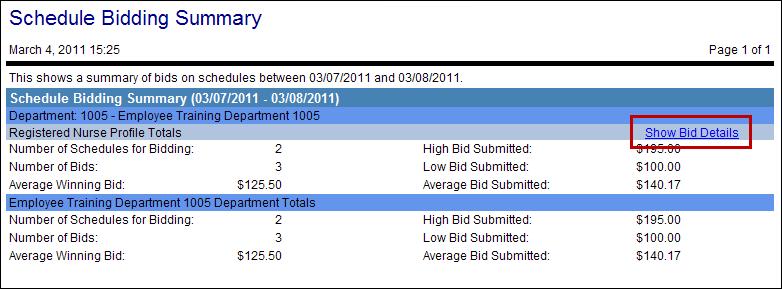
Click the link, Show Bid Details, to view details of the Schedule Incentive requests.