Carbon Copy TCR
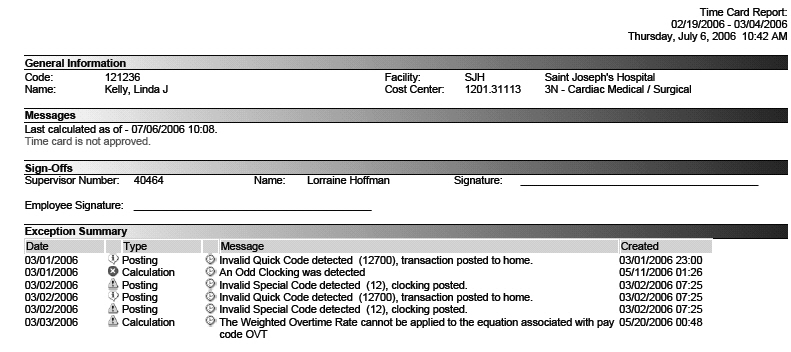
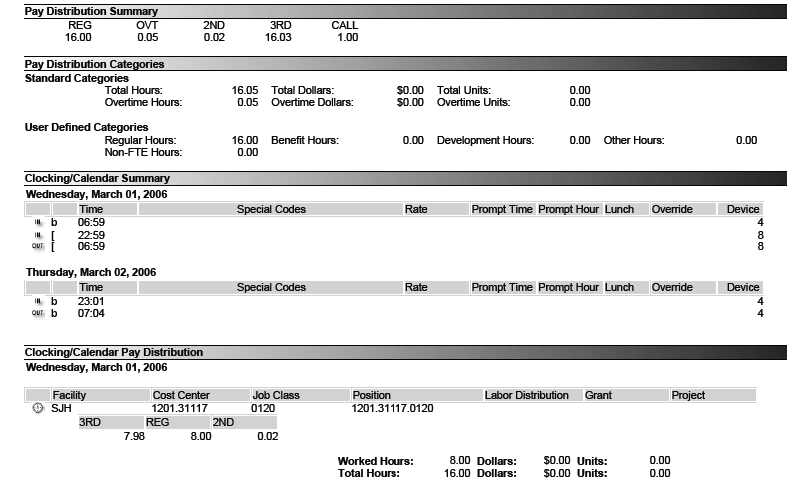
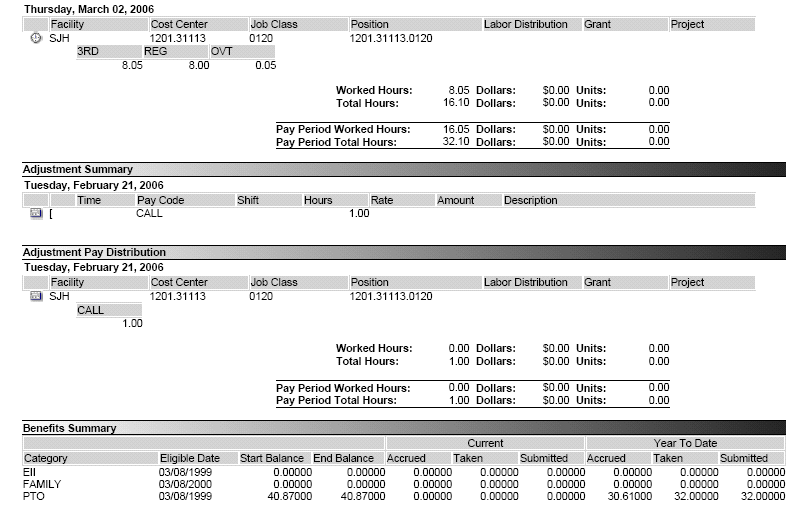
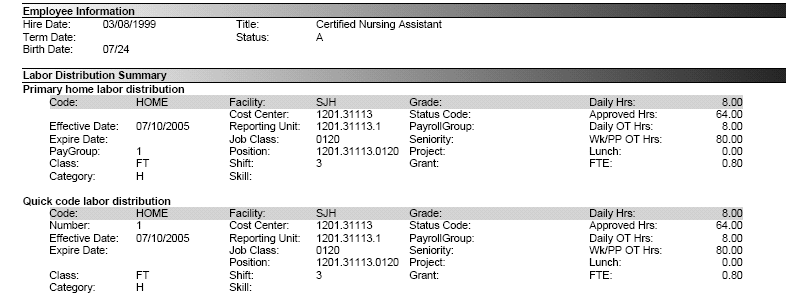
This report opens a copy of the Time Card Report for the selected employees. The report creates separate pages for each employee, and lists the same information that is found in the TCR Current report.
Click on the icon to the left of the field to open and view the report.
-
The information on this report is not editable from this screen. To make adjustments to the employee time card, open the employee record and select the TCS button. Make the required changes on the transaction screen.
-
To delete the report from the listing, check the box to the left of the record, and in the Report List Actions click the Delete Selected button.
Actions
The following Action options are available in the left pane:
|
Opens a wizard to search for another employee to send a carbon copy of this time card report. |
|
|
Opens a wizard to search for another employee to send an email message and a copy of this time card report. |
|
|
Allows the user to print out a paper copy of this time card report. |